What Is a Link in Bio? The Complete Guide for Creators and Small Businesses
A link in bio is one page that holds every link that matters to you. Learn what to put on it, how to set one up in minutes and how to turn visits into clients.

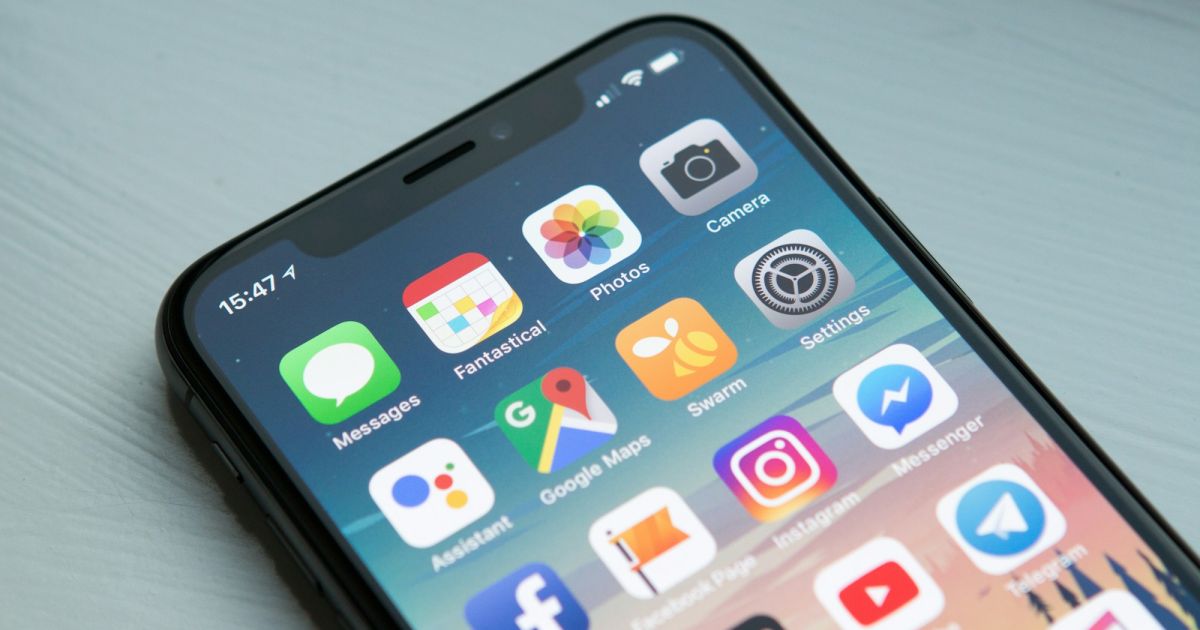
A link in bio is a single, mobile-friendly web page that collects all of your important links in one place, so you can share it through the one link slot that Instagram, TikTok and other social networks give you in your profile. Instead of changing that link every time you publish something new, you share one address – for example selfpage.link/your-name – and keep everything else on that page: your shop, your booking form, your latest video, your blog, your WhatsApp and your contact details.
This guide explains what a link in bio page is, who it is for, what to put on it, how it compares to a full website and how to set one up in a few minutes.
Key takeaways
- A link in bio page turns one profile link into a small hub for everything you do online.
- The best pages are short, ordered by priority and built around one main action (book, buy, subscribe or contact).
- Use your own name or brand in the address and, when you can, your own domain – it builds trust and keeps the traffic yours.
- Track clicks on every button, so you know what your audience actually wants.
Why do you need a link in bio?
Most social networks give you exactly one clickable link in your profile, and links in regular posts are either not clickable or quietly shown to fewer people. That creates a real problem the moment you have more than one thing to share: a new product, a podcast episode, a portfolio, a discount code and a newsletter cannot all fit in a single link.
A link in bio page solves this in three ways:
- One link, everywhere. You set it once in your Instagram, TikTok, YouTube, LinkedIn, X and Facebook profiles, in your email signature and on your business card – and update the page, not the profiles.
- Fewer lost visitors. People who tap your link land on a page designed for phones, with big buttons, instead of a slow desktop website or a dead end.
- Clear priorities. You decide what visitors see first. The new offer goes on top; last month's campaign moves down or disappears.
Who is a link in bio page for?
Anyone who is found on social media but does business somewhere else. A few typical examples:
| Who | What their link in bio usually contains |
|---|---|
| Content creators and influencers | Latest YouTube video, Spotify or TikTok embeds, brand-collaboration contact, newsletter sign-up, affiliate products. |
| Freelancers and consultants | Portfolio, services and prices, booking link, testimonials, contact form, vCard. |
| Photographers, makeup artists, wedding vendors | Gallery, packages, availability, WhatsApp button, FAQ about pricing and travel. |
| Restaurants, salons and local shops | Menu or price list, reservations, phone call button, map and opening hours, current promotion. |
| Coaches, trainers and course creators | Free lead magnet, programme sales page, PayPal button for deposits, blog articles that show expertise. |
| Musicians and podcasters | Spotify, Apple Music and SoundCloud players, tour dates, merch, latest episode. |
What should you put on your link in bio page?
A good page answers three questions in a few seconds: Who are you? Why should I care? What do I do next? Build it in this order:
- A clear photo and name. Use the same photo as on your social profiles so visitors know they are in the right place.
- A one-line tagline. Say what you do and for whom – "Wedding photographer in London" beats "Capturing moments".
- Your main call to action, first. The one thing you most want people to do: book a call, buy, subscribe or send a message.
- Two to five supporting links. Your shop, portfolio, latest content, blog or free resource. More than seven buttons usually hurts, because visitors stop choosing.
- Ways to reach you. A contact form, WhatsApp, phone call or email button, depending on how you prefer to talk to clients.
- Social icons at the end. Let people follow you elsewhere – after they have seen your offer.
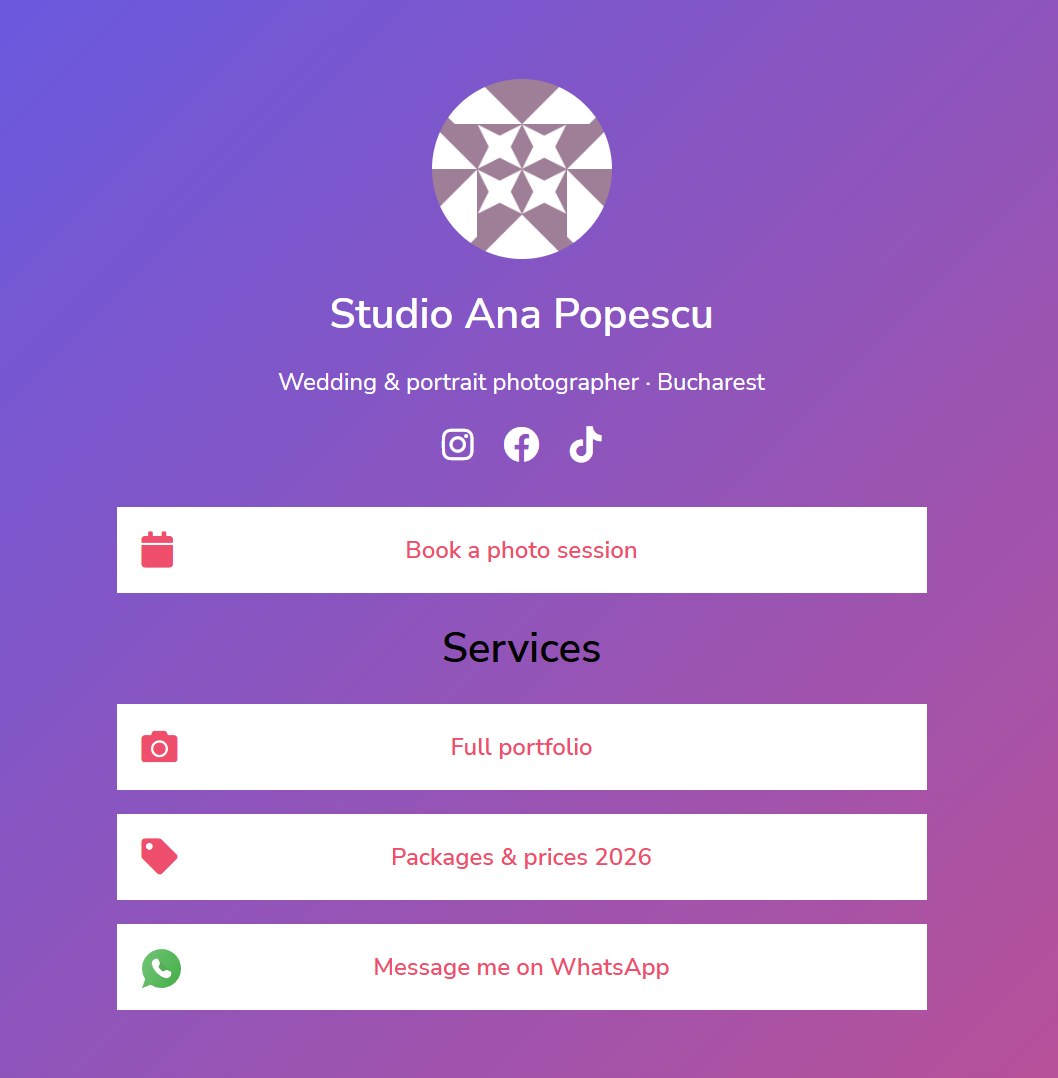 A finished bio page: photo, tagline, social icons and a short list of buttons
On Selfpage, all of this is built with blocks: links, headings, text, images, a newsletter form, a contact form, FAQs, product cards, YouTube, Spotify and TikTok embeds, WhatsApp, phone call, vCard and PayPal buttons. You can see the full list in What does each bio page block type do?
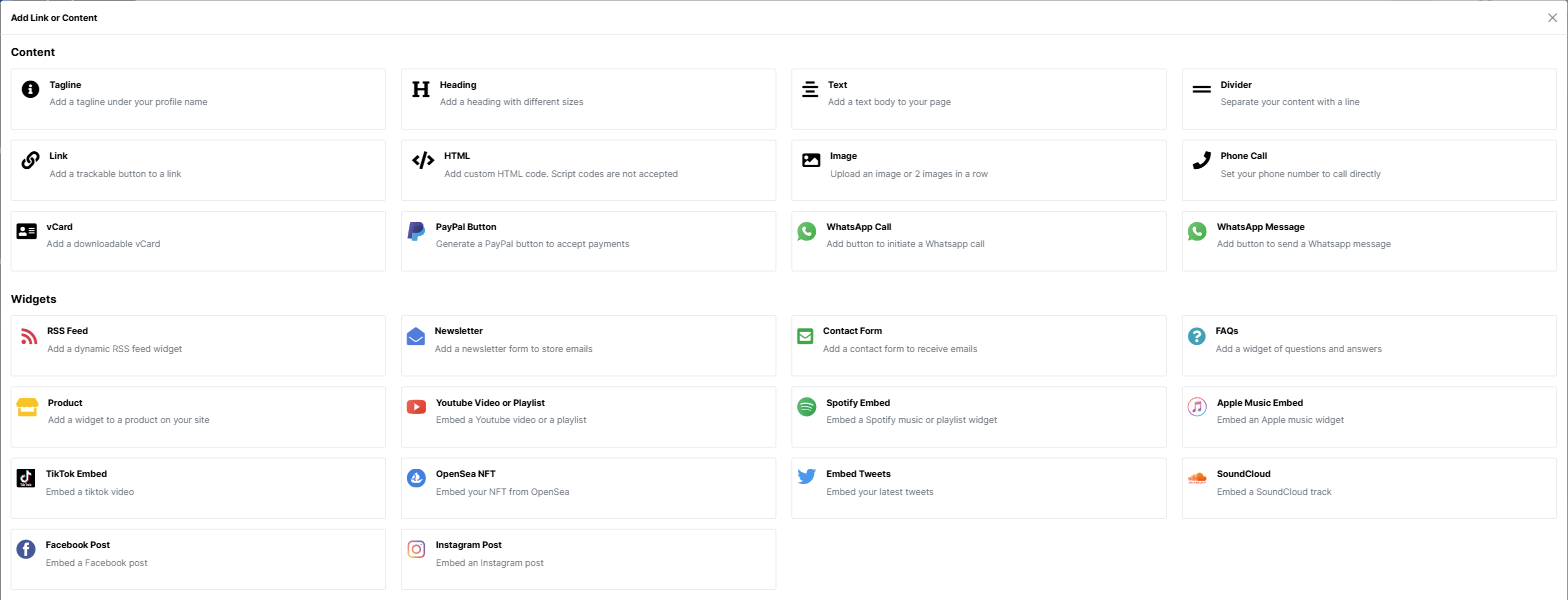 Every element of the page is a block you add, reorder or remove
Link in bio vs. a website: which one do you need?
A link in bio page is not a replacement for every website, but for many creators and small businesses it is the website they actually need. Here is how they compare:
| Link in bio page | Traditional website | |
|---|---|---|
| Set-up time | Minutes | Days to weeks |
| Built for | Visitors coming from a phone and a social app | Visitors browsing, often from search |
| Updating | Add or reorder a button from your phone | Usually needs a designer, developer or CMS |
| Content depth | Short – links, embeds, contact | Long – pages, articles, documentation |
| Cost | Free or a small monthly plan | Hosting, theme, plugins, maintenance |
The gap between the two closes when your link in bio tool also gives you a blog and your own domain. That is the idea behind Selfpage: a bio page, a blog and branded short links under one address, so you get the speed of a link in bio and the long-term search visibility of a website. We explain why the blog matters in Why your link in bio needs a blog.
How to create a link in bio page in 5 steps
- Create a free account and pick a username that matches your brand or social handles. See How do I create a Selfpage account?
- Create your bio page and choose its address (alias), for example selfpage.link/anna-photo. See How do I create a bio page?
- Add your blocks in order of priority: tagline, main call to action, supporting links, contact, social icons.
- Make it yours with a theme, fonts, colors and a background that match your brand. See how to change the theme, fonts and colors.
- Fill in the SEO fields and share it. Add a meta title, meta description and share image, then paste the address into every social profile.
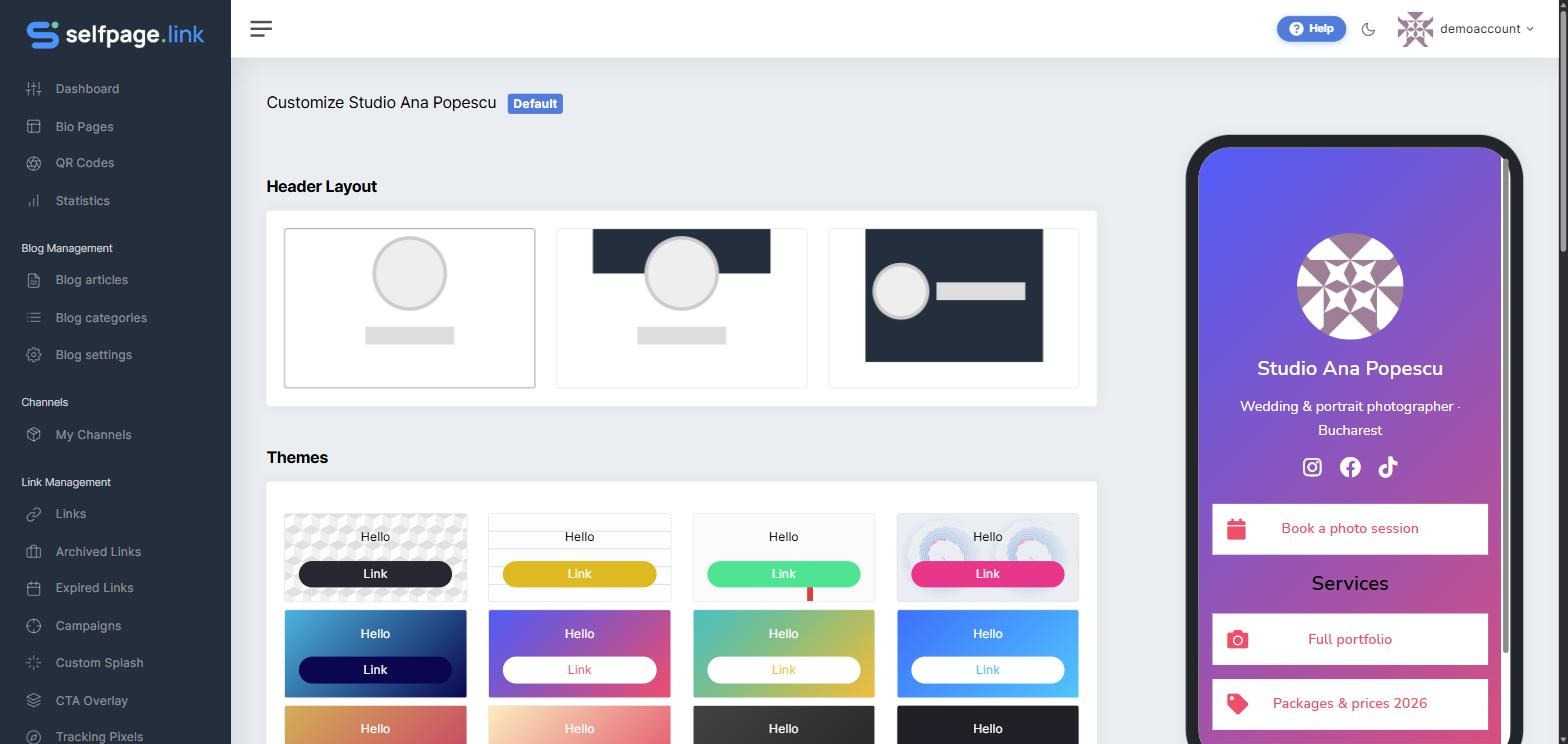 Pick a theme, then fine-tune fonts, colors and buttons
Link in bio best practices that actually move the needle
- Write buttons as actions. "Book a free 15-minute call" gets more clicks than "Contact".
- Keep it short. Remove anything that has not been clicked in the last month.
- Match your posts. When a post says "link in bio", the matching button should be at the top of the page that day.
- Use your own domain when you can. A page on yourname.com looks more trustworthy and keeps your brand – not the tool's – in front of people. See How do I connect my own domain?
- Collect emails. Followers belong to the platform; an email list belongs to you. A newsletter block on your page is the simplest way to start.
- Measure, then decide. Every button has its own click count. Our guide on link in bio analytics shows what to look at.
- Do not forget search. Your page has its own meta title and description. Write them like a mini ad for your name: who you are, what you do, where.
Common link in bio mistakes
- Too many links. Twenty equal buttons means nothing stands out.
- Vague labels like "Click here" or "My stuff".
- Broken or outdated links to sold-out products or past events.
- No way to contact you – the visitor is ready, but cannot reach you.
- A page that does not look like you. Different photo, different colors, different name from your profile creates doubt.
Frequently asked questions
What does "link in bio" mean?
"Link in bio" is the phrase creators use to send followers to the clickable link in their social media profile (their "bio"). Today it usually points to a link in bio page: a single page with several links, instead of one website.
Is a link in bio page free?
Most tools, including Selfpage, let you create a bio page for free. Paid plans add things like more pages, your own domain, removing the platform branding and a personal blog – check the pricing page for what each plan includes.
Is a link in bio good for SEO?
A link in bio page can rank for your name or brand, especially if it has a clear meta title and description and lives on your own domain. On its own it is a short page, so it will not rank for many topics. Adding a blog to the same address is what gives search engines and AI assistants more content to find and cite.
Can I use a link in bio for a business, not just as a creator?
Yes. Restaurants, salons, agencies, shops and freelancers use them as a mobile "front door": menu or price list, booking, WhatsApp, phone call, location and current offers – all one tap away.
How many links should a link in bio page have?
As a rule of thumb, one main call to action plus two to five supporting links. If you need more, group them under headings so visitors can scan the page quickly.
Can I change my link in bio address later?
On Selfpage you can change your bio page's address (alias) at any time. Remember to update it in your social profiles afterwards. See How do I change my bio page's photo, name or address?
Start with one page, grow from there
A link in bio page is the fastest way to turn social media attention into real results: bookings, sales, subscribers and messages. Start simple – a photo, a tagline, one clear action and a few links – then add a blog, your own domain and tracking as you grow. You can create your Selfpage bio page for free and have it live in a few minutes.