
Any long address can become a short link that is easy to share and measure. Links are created from the Dashboard.
The quick way
- Open the Dashboard.
- Paste the long address into the Paste a long link field.
- Click Shorten.
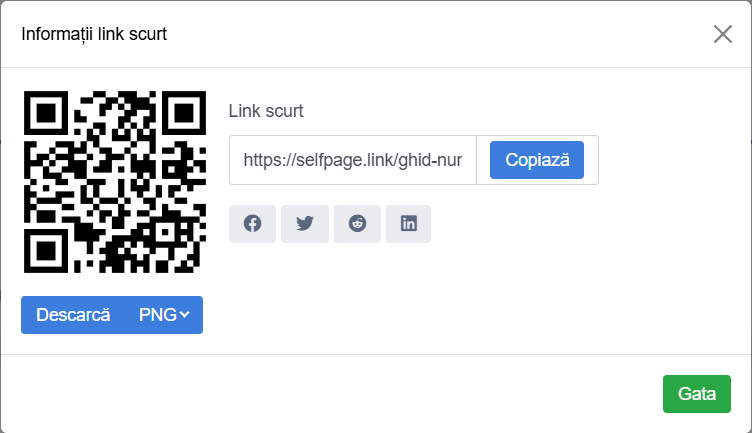
The Short Link Info window opens with your new link, the Copy button, share buttons and a QR code you can download right away (PNG, PDF or SVG).
With advanced options
Click the sliders button to the left of Shorten to show the options:
- Domain – the domain used for the link (for example your own domain).
- Redirection – how the visitor reaches the destination. See Direct, Frame and Splash
- Custom – the alias you choose. See How do I choose a custom alias?
- Channel – add the link straight to a channel.
- Password Protection – see How do I protect a link with a password?
- Description – an internal note, so you can recognize the link more easily in your list (visitors don't see it).
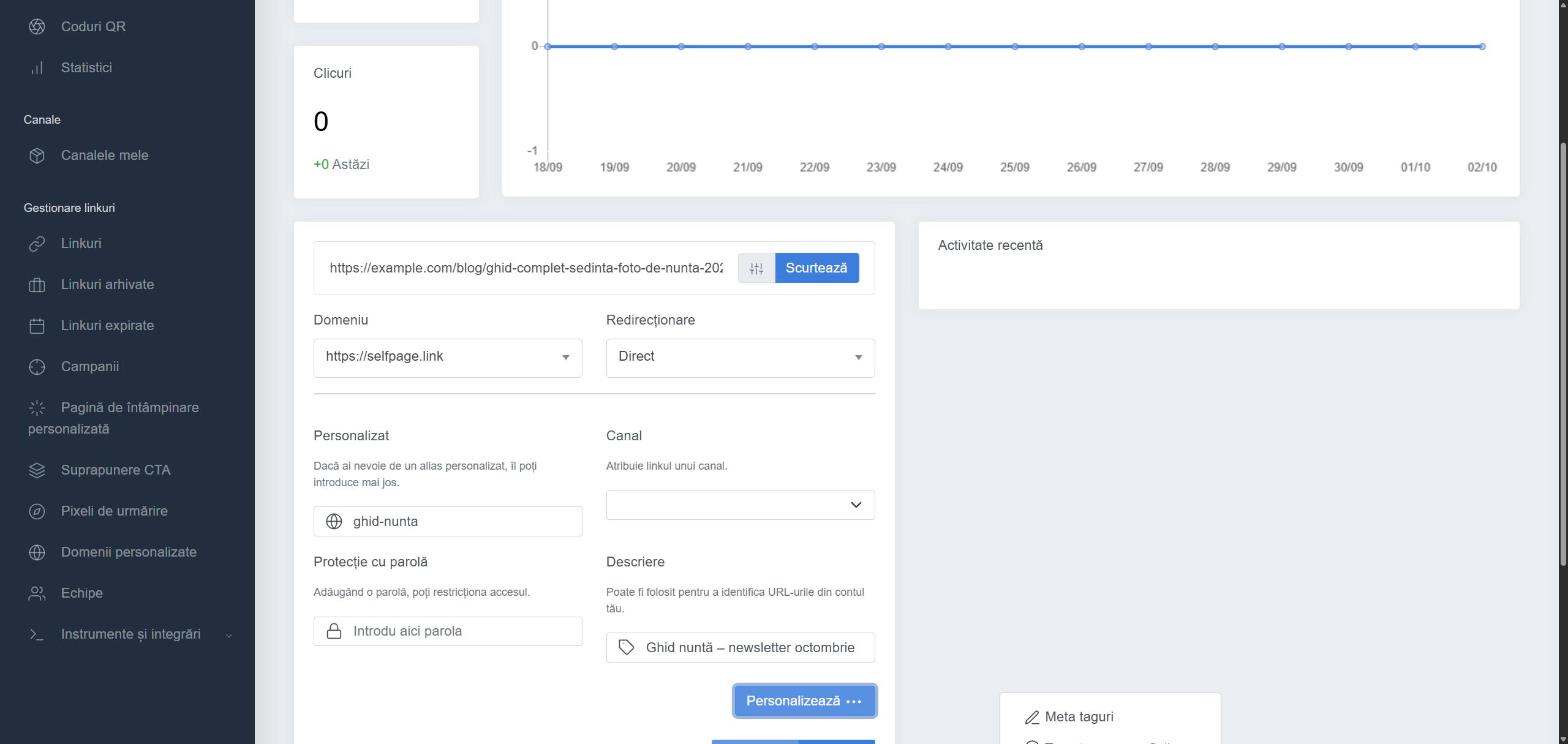
The Customize ⋯ button adds even more options: Meta Tags, Geotargeting, Device Targeting, Language Targeting, Pixels, Expiration, A/B Testing and Parameters.
Where do I find the links I've created? In the left menu, under Link Management → Links. You can change any setting later too – see How do I edit a short link?