
A link can expire automatically on a certain date or after a certain number of clicks – perfect for limited offers, contests or sign-ups with limited places.
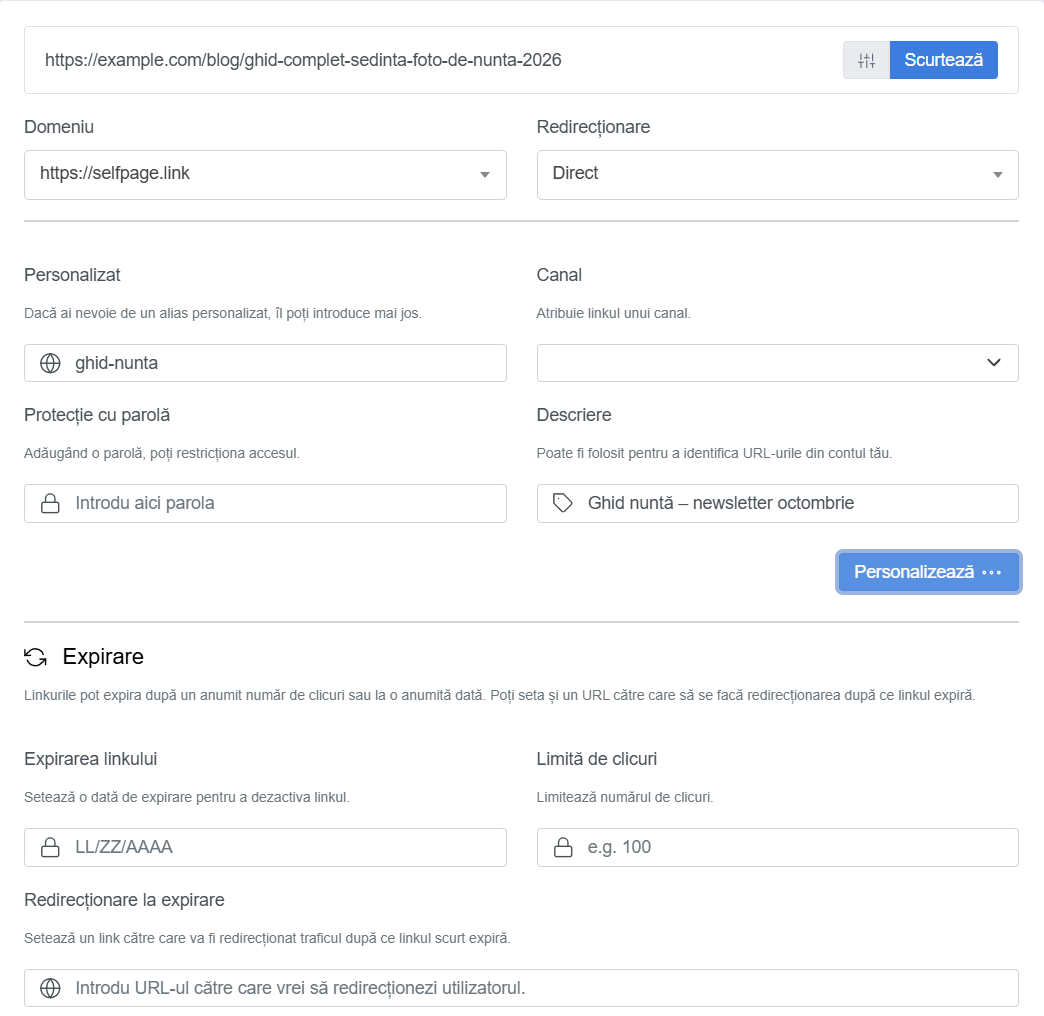
- When creating the link, open the advanced options, click Customize ⋯ and choose Expiration. For an existing link, the Expiration section is on the edit page.
- Fill in one or more options:
- Link Expiration – the date after which the link is disabled (MM/DD/YYYY format).
- Click Limit – the maximum number of clicks (for example 100).
- Expiration Redirect – the address visitors are sent to after the link expires (for example a "This offer has ended" page).
- Save the link.
Where do I find expired links?
In the left menu, under Link Management → Expired Links. From there you can edit them to extend them (change the date or the click limit) or delete them.
Tip: always set an expiration redirect, so late visitors don't land on an error page.