
All your links are under Link Management → Links. From there you can search, filter and manage them one by one or in bulk.
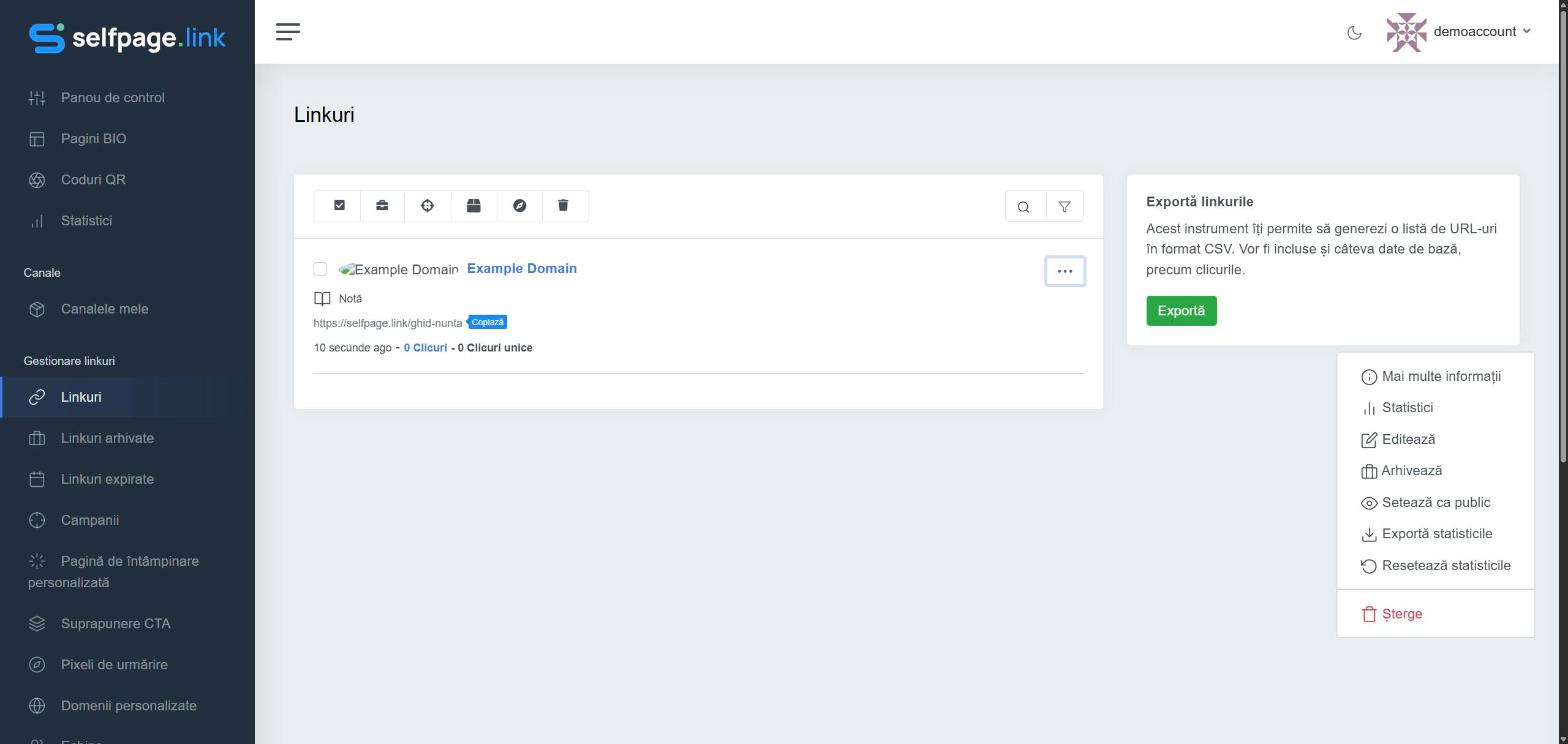
Actions for a single link (the ⋯ menu)
- More info – the short link, the QR code and the share buttons.
- Statistics and Export Stats.
- Edit – see How do I edit a link?
- Archive – moves the link to Archived Links. The link keeps working, but no longer clutters your main list.
- Set Public – see What does "Set Public" mean?
- Reset Stats and Delete (both permanent).
Bulk actions
- Tick the links you want (or click the first icon, Select All).
- Use the icons in the top bar: Archive Selected, Add to Campaign, Add to Channel, Add Pixels or Delete Selected.
Search and sort
The magnifying glass icon searches by title, address or description, and the funnel icon sorts the results.
Archived and expired links
In the left menu you'll find Archived Links (where you can unarchive them) and Expired Links (links that reached their date or click limit) separately.
Warning: a deleted link can't be recovered, and anyone who opens it gets an error. If you just don't want to see it in your list anymore, archive it instead of deleting it.