
A custom splash page is a transition page with your banner, logo and message, which visitors see for a few seconds before being redirected to the destination.
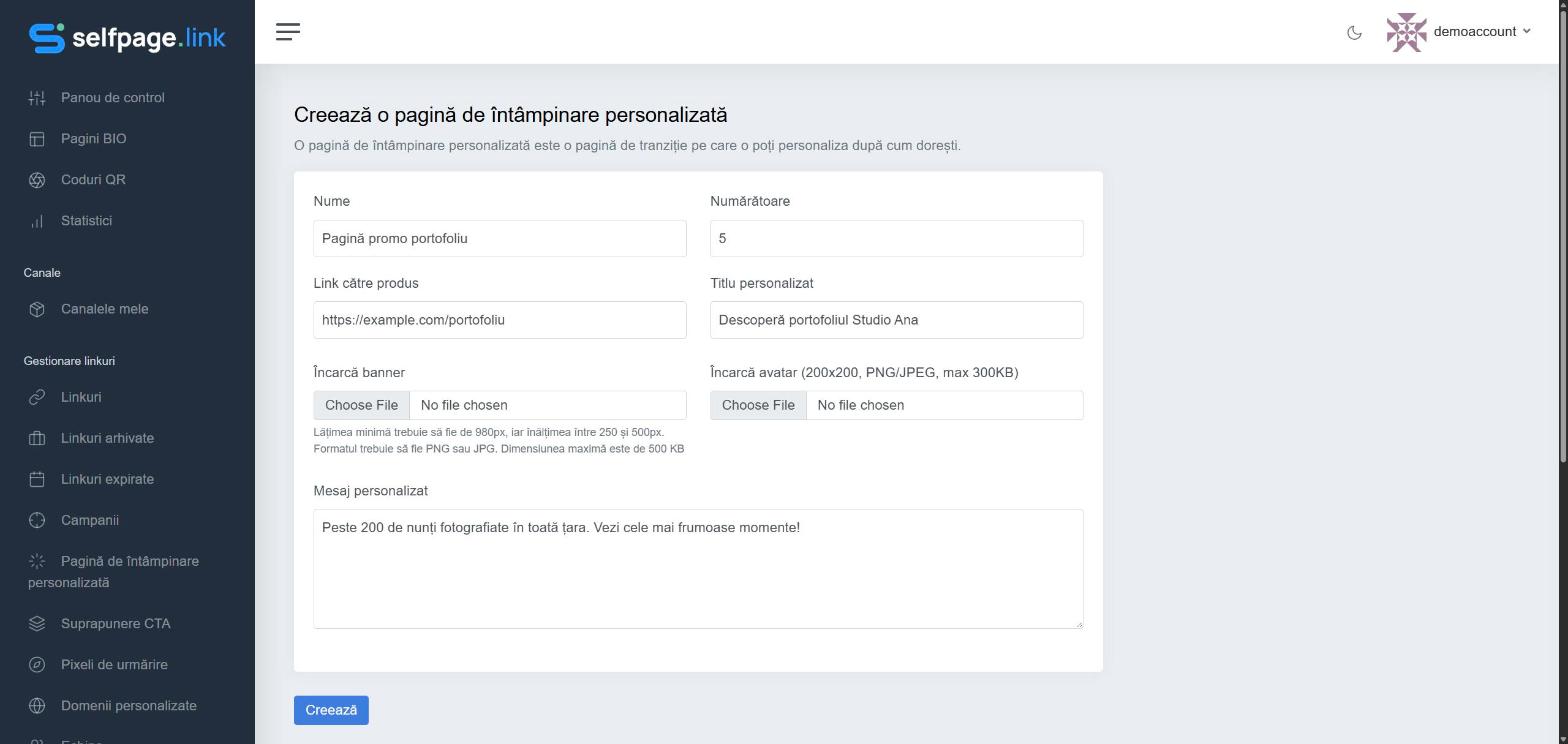
- Open Link Management → Custom Splash and click Create a Custom Splash.
- Fill in the fields:
- Name – to recognize it in the list;
- Counter – how many seconds the page is shown before the redirect;
- Link to Product – where the visitor goes if they click the page;
- Custom Title and Custom Message;
- Upload Banner – at least 980 px wide and 250–500 px high, PNG or JPG, up to 500 KB;
- Upload Avatar – 200×200 px, PNG or JPEG, up to 300 KB.
- Click Create.
Use the page on a link
When creating or editing a link, choose the page from the Redirection list, in the Custom Splash group.
When it's useful: to promote your brand or an offer every time you share a link, including links to other websites' content.