
All your articles are under Blog Management → Blog articles.
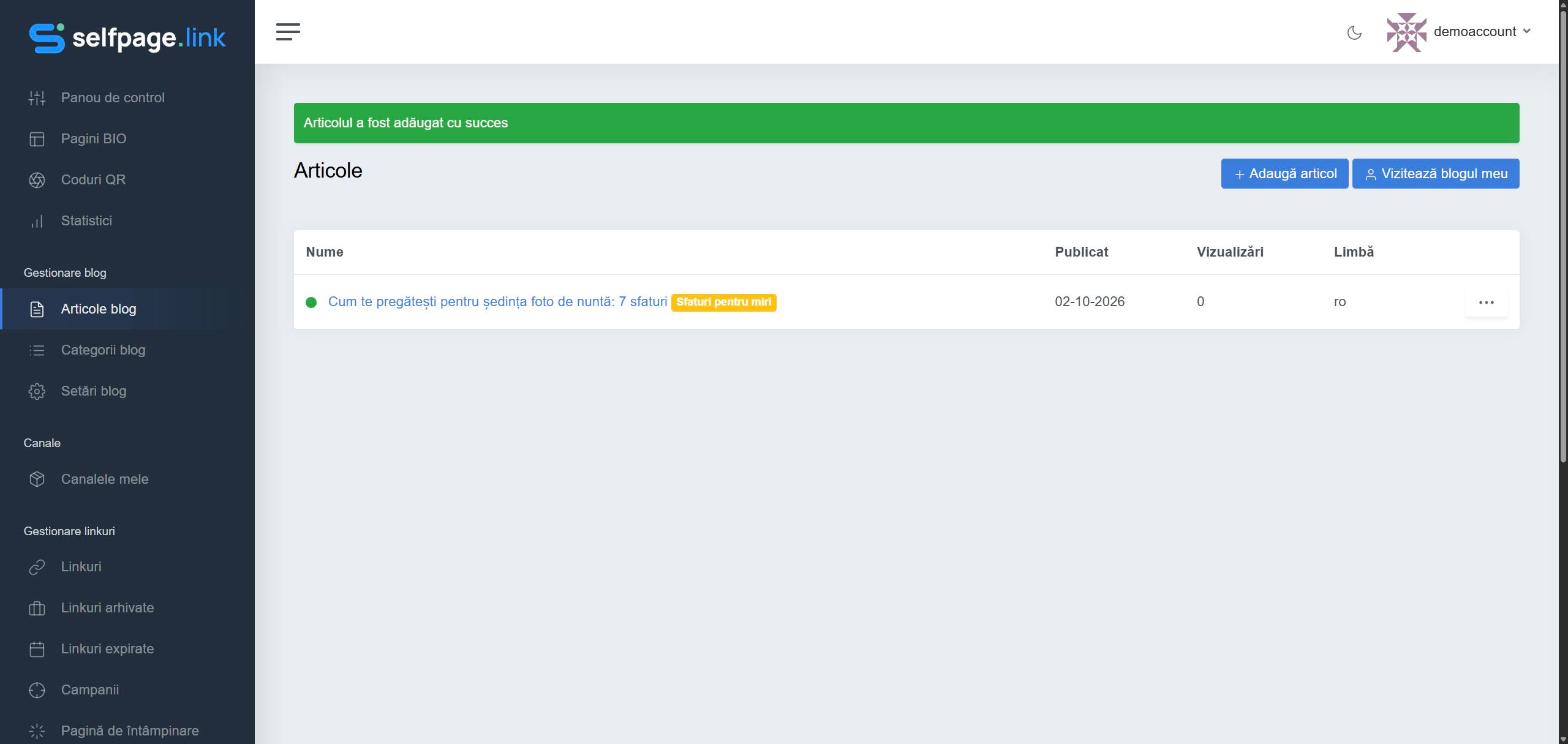
What you see in the list
- Name – the article title and the colored category label. A green dot means the article is published; unpublished articles are drafts.
- Published – the publishing date.
- Views – how many times the article was read.
- Language – the language of the article's category.
Actions
Click ⋯ on the right of the article:
- View – opens the public article;
- Edit – opens the article form, where you change any field and save;
- Delete – permanently removes the article, after confirmation.
Publish a draft or hide an article
Open the article with Edit, turn the Publish option on or off and save. An unpublished article disappears from the blog but stays in your list as a draft – a safer option than deleting if you only want to hide it for a while.
Warning: deleting an article is permanent. If you change the slug of a published article, its old address stops working – update the links you've shared.
The Visit my blog button in the top-right corner opens your public blog.