
There are two places where you can quickly see how your links and pages are doing.
The dashboard
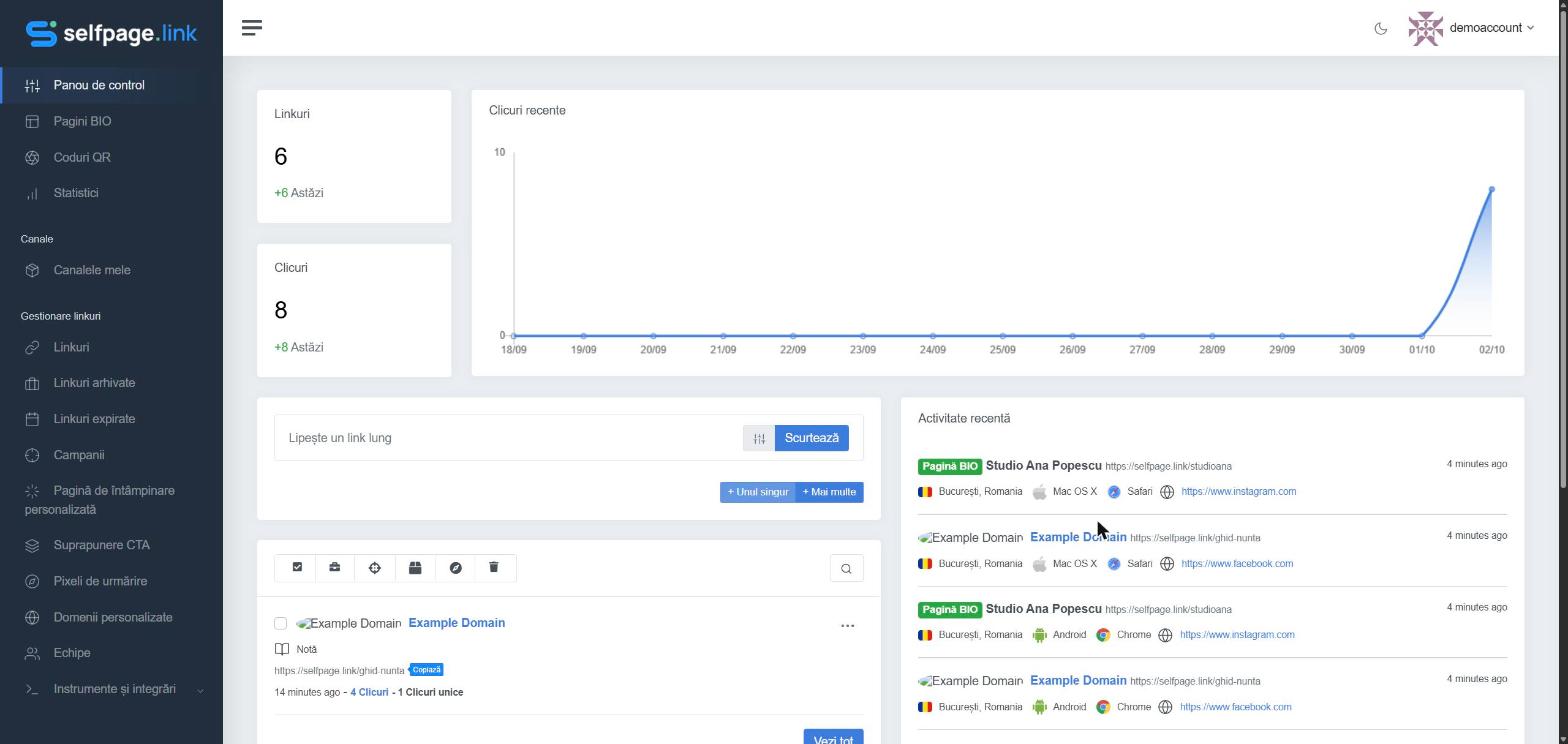
Right after logging in you see your total Links and Clicks (and how many were added today), the Recent Clicks chart and the Recent Activity list with the latest visits: which link or bio page was opened, from which city and country, on which operating system and browser, and from which source.
The Statistics page
In the left menu, click Statistics for an overview of your whole account:
- Links – how the number of links you've created changes over time;
- Clicks – how your clicks change over time;
- Visitor Map – which countries your visitors come from;
- Top Countries – countries ranked by number of clicks.
For details about a single link, bio page or dynamic QR code, see a link's statistics.
How long is the data kept? How long statistics are kept depends on your plan (for example 31, 60 or 180 days). You'll find it on the Pricing page. Export your data regularly if you need a longer history – see How do I export statistics?