
Every short link, bio page and dynamic QR code has its own statistics page.
How to get to the statistics
- Link: Links → ⋯ → Statistics (or click the number of clicks under the link).
- Bio page: Bio Pages → ⋯ → Statistics.
- Dynamic QR code: QR Codes → ⋯ → Statistics.
- Shortcut: add
+to the end of the short link, for exampleselfpage.link/wedding-guide+.
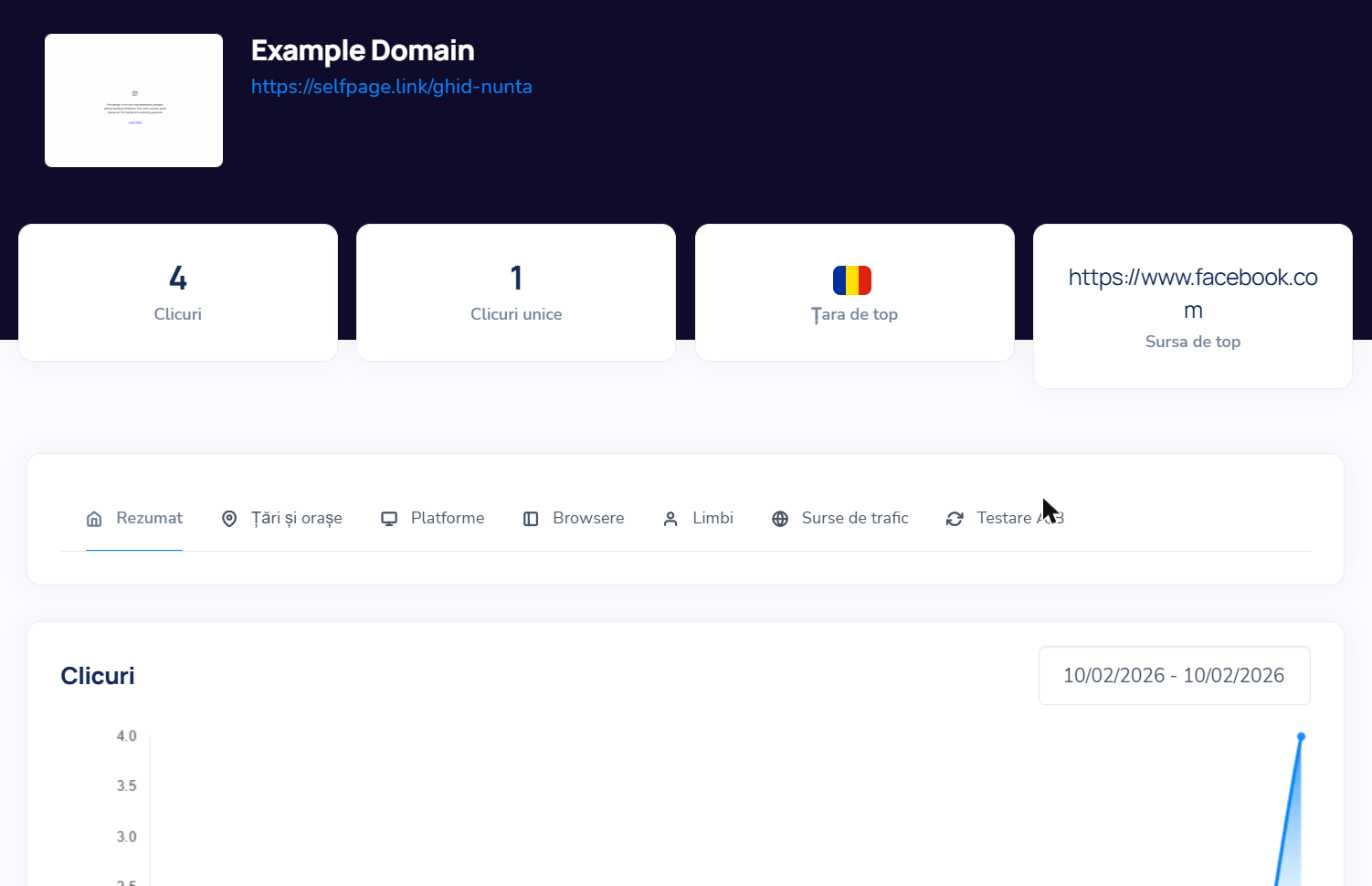
What you'll find on the statistics page
- Clicks and Unique Clicks – total visits and the number of distinct visitors.
- Top Country and Top Referrer – where most of your visitors come from.
- The Summary, Countries & Cities, Platforms (operating systems), Browsers, Languages, Referrers (the websites and apps people clicked from) and A/B testing tabs.
- The Clicks chart, with a period selector in the top right.
- Recent Activity – the latest visits, one by one.
Want to show your statistics to someone? Set the link as public – see What does "Set Public" mean?