
All your account details are changed under Settings: click your name in the top right and choose Settings.
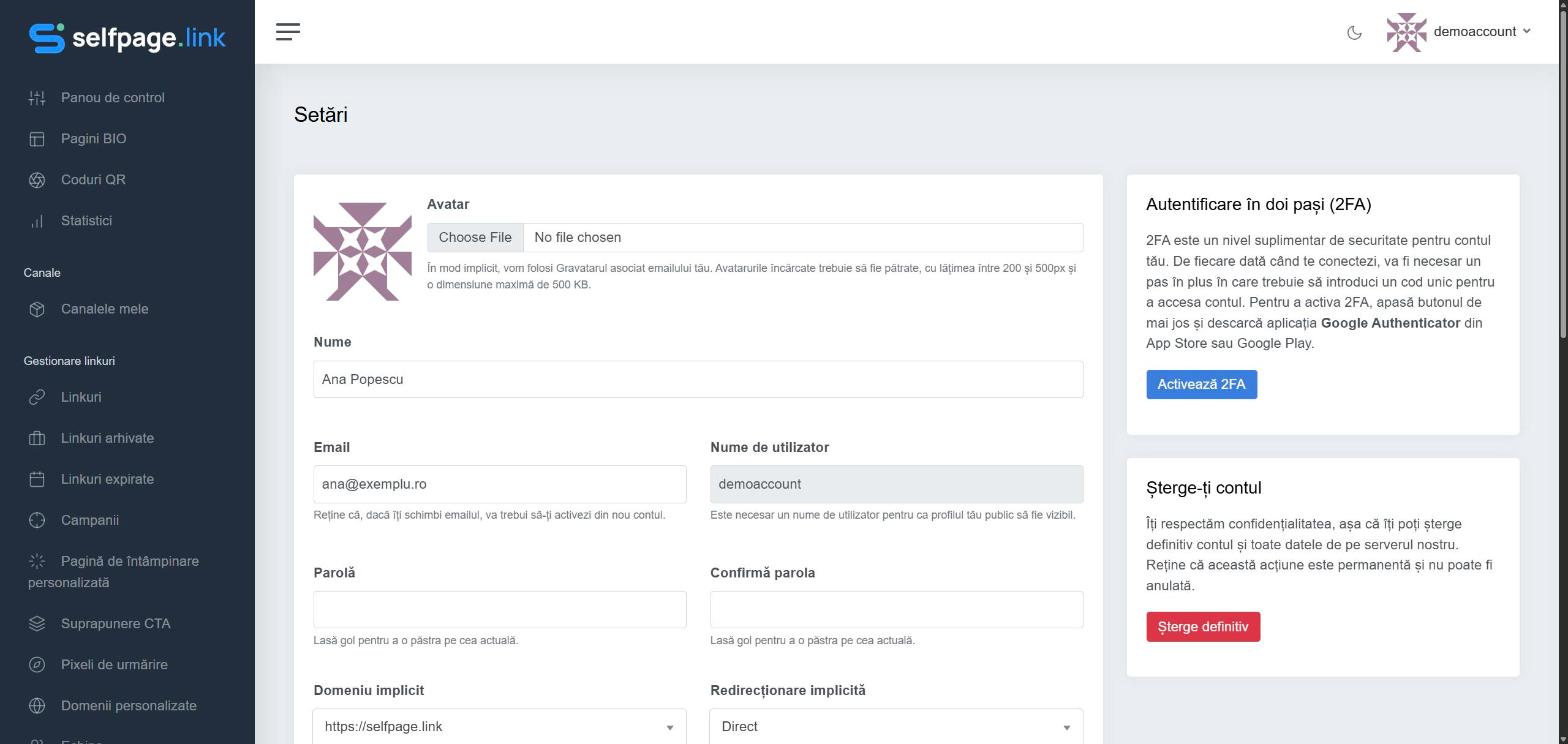
What you can change
- Avatar – by default, the Gravatar linked to your email is used. You can upload a square image between 200 and 500 px wide and up to 500 KB.
- Name – your full name.
- Email – if you change it, you'll have to activate your account again from the email sent to the new address.
- Password and Confirm password – fill in both fields only if you want a new password; leave them empty to keep your current one.
- Default Domain – the domain used automatically for new links. See custom domains
- Default Redirection – Direct, Frame or Splash. See redirection types
- Billing Address – full name, company, address, city, state, country and zip code, used on your invoices.
- Public Profile – makes your profile address available. See the public profile
- Media Gateway – automatically creates special pages for links to YouTube, Vimeo, Dailymotion and other video platforms.
- Newsletter – receive occasional news from us.
When you're done, click Save Settings.
Your Username is shown in the settings but can't be changed. It's needed for your public profile to be visible.